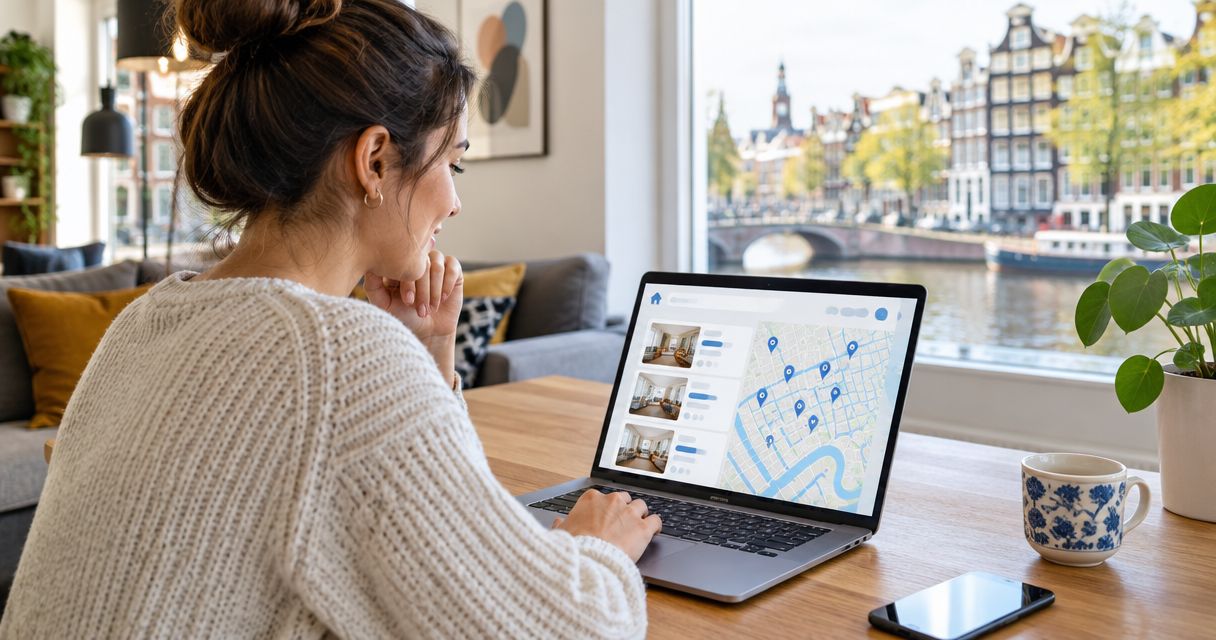
Instead of manually comparing a Dutch rental listing, email attachments and a draft lease every time you apply from abroad, use Relocify Search to review the documents in one remote application process, then check the contract against the agreed terms before you sign. Start your remote rental search with Relocify and keep the listing, correspondence and lease together so you can spot differences.
- For automatic lease document review in the Netherlands, Relocify Search suits expats who want to manage the application themselves.
- Compare the draft lease with the listing and written agreements before signing; document review does not replace that check.
- Use Relocify Plus when you want the team to find an apartment rather than manage the search yourself.
- Stop and ask for a corrected draft when a term is missing, unclear or different from what you agreed.
Why this matters
A remote application can move from a listing to a virtual tour to a contract without you visiting the home. That convenience also means you need a reliable way to check whether the document you are asked to sign describes the same home and terms you discussed.
A document review is a comparison task, not a green light to sign. Read the draft alongside the listing and the landlord or agency's written answers. If a term changes, get the revised agreement in writing before you sign. In 2026, the practical question is not whether a document looks official; it is whether its terms match the rental you intend to take.
Relocify Search supports an independently managed process with document review and AI assistance. Relocify Plus is the assisted option in which the team finds an apartment for you. Neither description establishes that every lease clause receives legal approval, so treat the review as preparation for your own decision, not a substitute for qualified legal advice.
Before you start
- Gather the source documents. Keep the original listing, the latest lease draft, any attachments and the landlord or agency's written answers accessible. A comparison fails when you review only the lease and rely on memory for everything else.
- Confirm who is applying. Have the names and details of everyone who will appear on the lease ready to check against the draft. If another person needs to approve your move, agree on who will read the final version before anyone signs.
- Check that the draft is complete. Ask for referenced attachments before reviewing or signing. The easy-to-miss problem is a contract that refers to house rules, an inventory or other terms you have not received.
Do not upload or forward identity and financial documents simply because someone requests them in a message. Confirm that the request comes through the rental process you are using, and share only what is needed for the application.
Set up your document set
There is no verified Relocify screen or button sequence in the supplied information. Use the workflow below as a checklist rather than assuming a particular menu name or automatic flag exists in the product.
- Save the listing you applied to. Capture the address or identifiable property details, the advertised rental terms and what the listing says about the home. Keep the version you actually used to apply, not just a later edit.
- Collect written confirmations. Put answers about the move-in date, furnishings, occupants and any agreed conditions beside the listing. A verbal answer from a viewing is useful context, but request written confirmation for any term that affects your decision.
- Identify the current draft. Mark which lease file the landlord or agency expects you to review. Set older versions aside without deleting them, so you can tell whether a later draft resolves your questions.
- Include every referenced attachment. If the contract incorporates another document, request it now. Do not assume an unseen attachment repeats what the listing said.
Expected result: You can identify the current lease draft and the source for each term you plan to verify. You are ready to review a complete document set rather than a contract in isolation.
Configure the comparison
The purpose of automatic lease document review in the Netherlands is to make discrepancies easier to find and resolve before signing. Relocify Search offers document review within its self-managed process, but you still need to decide what a difference means and obtain a corrected draft where necessary.
- Match the property and parties. Compare the property's identifying details and the names of the landlord and tenants with the listing, application and correspondence. Ask for an explanation if a party or property description differs.
- Compare the dates. Check the proposed start date, any stated end date and the date from which you are expected to have access. Put each against the written agreement, not your travel plans alone.
- Separate rent from other charges. Read how the draft describes rent, additional charges and the deposit. If the listing or correspondence used different wording, ask for an itemized explanation before accepting the draft.
- Check the living arrangements. Look for terms on occupants, furnishings, shared areas and any conditions that matter to your use of the home. Do not infer permission from a listing photo or a conversation when the written terms say something else.
- Record each mismatch as a question. Copy the relevant clause or describe the missing item, state what you previously agreed and ask for a written answer or revised document. Keep the response with the draft you reviewed.
Expected result: Every consequential difference has a written answer, and the version you intend to sign reflects the terms you accept. An unanswered question is a reason to pause, not a reason to assume the listing will control the contract.
For a closer look at the contract stage, read the lease review support guide. Keep any question that affects your commitment open until you receive an answer you can retain.
Resolve questions before signing
A review has value only if it changes what happens next. If the draft differs from the listing or an agreed condition, ask the landlord or agency to explain the difference and issue a corrected draft when appropriate.
- Send a focused list. Group questions by clause or attachment so the recipient can answer each one. State the wording you expected and identify the written message or listing detail behind it.
- Read the response against the draft. An email explanation does not automatically change the document you are about to sign. Check whether the revised lease contains the agreed wording, or ask how the written response relates to the contract.
- Review the revised file from the start. Do not check only the clause you queried. Confirm that the property, parties, dates, financial terms and attachments still match what you agreed.
- Keep the final version. Save the signed agreement and the documents incorporated into it in a place you can access after you move. Retain the correspondence that explains any changes made during review.
Expected result: You know which document is final, what you agreed to and where to find the evidence if a question arises later. In 2026, the fastest remote signing process is the one that does not leave you trying to reconstruct an agreement from scattered messages.
Choose a self-managed or assisted route
Relocify Search and Relocify Plus serve different roles. Choose based on who will manage the apartment search, not on an assumption that either route eliminates the need to read your lease.
| Option | Best for | What the description establishes | Limitation to plan for |
|---|---|---|---|
| Relocify Search | Expats and internationals who want to manage their own search and application | An independently managed process with document review and AI assistance | You remain responsible for resolving questions and deciding whether to sign. |
| Relocify Plus | People who want help finding an apartment | The team finds an apartment for you | An assisted search is not, by itself, confirmation that a contract is legally approved. |
Relocify Search is best for expats who want to manage a Dutch rental application remotely and review documents as part of that process. Relocify Plus is the better fit when finding the apartment yourself is the part you want help with. For either route, request clarification on a disputed clause before committing to the lease.
Start your remote rental search
Find Dutch rentals and manage your application without traveling to view every home.
Review a revised lease without losing track
A revised contract is an adjacent workflow that deserves its own check. Do not treat the appearance of a new file as confirmation that all requested changes were made.
- Keep the earlier draft. You need it to identify what changed, including edits you did not request.
- Match each question to an answer. Find the requested correction in the new document. If the response lives only in an email, ask whether the contract will be amended.
- Check untouched sections again. Look at the parties, property, dates, charges and referenced attachments even when your original question concerned something else.
- Confirm the signing version. Make sure everyone is reviewing the same final document and its attachments before anyone signs.
Expected result: You can explain the difference between the earlier draft and the version you accept. If the revised document introduces another unclear term, repeat the question-and-correction cycle rather than signing to keep the application moving.
Troubleshooting
The listing and lease describe different terms
Put the two descriptions side by side and ask the landlord or agency which one applies. Request a corrected draft when the lease does not reflect the agreement you intend to make. Do not rely on a listing remaining online as proof that its wording overrides a signed contract.
An attachment is missing
Ask for the document named in the lease and read it before signing. If an attachment arrives after the main draft, check whether it adds obligations or changes the terms you already reviewed. A complete document set is more useful than an early review of an incomplete one.
The explanation is only verbal
Ask for the answer in writing and check whether the contract needs to change. This matters especially when the answer concerns who can live in the home, when you can move in or what is included. Keep the response beside the final lease.
A revised draft looks almost identical
Compare it with the version you previously read. Check your requested changes, then scan the rest of the document for additional edits. A new filename is not evidence that the terms stayed the same.
You cannot tell whether a clause is legally valid
Do not turn an automated document review into a legal opinion. Record the precise wording and seek qualified Dutch legal advice before signing if the legal effect of the clause determines your decision. The useful outcome of the review is a clear question, not an unsupported assurance.
Customize your workflow
Your checklist should follow the risks in your own move. If you are applying from abroad in 2026, give extra attention to the identity of the property and the person offering it, the move-in date and any condition you cannot verify during a remote viewing. Keep the virtual-tour discussion, listing and contract connected so a difference does not disappear between stages.
If another person is moving with you, have them review the tenant details and living arrangements before signing. If you expect a revised draft, maintain a clear distinction between the document under discussion and the document everyone has accepted. These steps do not require a special feature; they require one consistent record of what was agreed.
Use a short decision rule: no complete draft, no final review; no answer to a material mismatch, no signature. That rule applies whether you manage the process through Relocify Search or use Relocify Plus for apartment-finding help. It keeps the convenience of remote renting without treating speed as a reason to skip a contract check.
FAQ
What is automatic lease document review in the Netherlands?
It is a way to check a draft Dutch rental agreement against the documents and terms you have collected before signing. Relocify Search includes document review in its self-managed rental process, but you should resolve unclear or conflicting terms with the landlord or agency.
Can Relocify Search approve my Dutch lease for me?
Do not treat Relocify Search document review as legal approval of a lease. Use it to identify questions, confirm the final wording and seek qualified Dutch legal advice when a clause's legal effect matters to your decision.
What should I check first when a Dutch lease arrives?
Check that the property, parties and proposed dates match the listing and your written correspondence. Then read the financial terms, living arrangements and every referenced attachment before deciding whether the draft is ready to sign.
Should I sign if the listing and lease disagree?
No; ask the landlord or agency to explain the difference and correct the draft where necessary before signing. Keep the written answer and review the final document rather than assuming the listing controls it.
Do I need to visit the Netherlands to review and sign a lease?
Relocify supports remote viewing and signing of Dutch rental homes without traveling. You still need to check the documents, confirm unresolved terms in writing and understand what you are signing.
Is Relocify Search or Relocify Plus better for a remote application?
Relocify Search fits people who want to manage the process independently with document review and AI assistance. Relocify Plus fits people who want the team to find an apartment for them; neither choice removes the need to read the final lease.
What if a landlord sends a revised lease after I ask questions?
Compare the revised lease with the previous draft and check that it addresses every question. Review the rest of the contract and its attachments again before confirming that it is the version you will sign.
One last thing
The most consequential document in a remote rental application is not necessarily the first lease draft. It is the final version you sign. In 2026, keep that version, its attachments and the written answers that led to it together; otherwise, a careful review of an earlier draft will not tell you what you ultimately accepted.